


Proofpoint has been the legacy pick for securing email communications. In many environments, it is tied into email filtering, phishing defenses, data exfiltration prevention, user protection, and broader security operations workflows.
When teams begin exploring alternatives, it is usually because something has shifted. Perhaps the renewal became harder to justify, or the organization now wants a different balance between usability and operational overhead.
We found a couple of reasons that may have influenced CSOs and CTOs to make the switch. In our research, we found that the platform takes time to learn and is not particularly easy to navigate.
Many advanced controls also sit across several separate admin consoles, each with its own portal, making routine security work slower and more tiring than it needs to be.
The Proofpoint alternatives below represent the main directions executives are taking now, from specialist email security tools to broader security platforms that extend beyond the inbox.
What Practitioners Think About Proofpoint
The practitioner conversation around Proofpoint is more nuanced than simple praise or dislike.
Its official positioning also leans heavily into broad threat prevention, human-targeted attack defense, and layered protection for enterprise email environments.
At the same time, several recurring frictions appear when operators compare it to alternatives:
Administration complexity may frustrate users
One administrator summarized the experience as a steep climb in the absence of an expert on the platform on your team.
“Proofpoint has the most serious threat intel and the most granular policy controls, but the admin experience is genuinely painful. If your team does not have someone who knows it well, expect a steep ramp.”
– shokzee (Source: Reddit via r/sysadmin)
An ITOps engineer and long-time user of Proofpoint described it as being fragmented, raising the issue of managing multiple dashboards, and had to make a switch as a result.

Another user said that the platform misses BEC emails sometimes, and investigating, adjusting allowlists, or managing VIP protection policies can involve too many steps.
Alt text/Caption: Proofpoint user complains about the complexity of operations with investigating suspicious email (Source: Reddit via r/cybersecurity)
These comments are an excerpt of a consistent theme, which is that Proofpoint’s power comes with heavier operational overhead.
The most common complaints involve:
- Too many management portals
- Steep learning curve
- Configuration complexity
- Slower day-to-day workflows for administrators
Support quality appears inconsistent
Support experience is one of the most polarized topics in the discussion. Some administrators report strong support teams and knowledgeable engineers.
“Support has been outsourced heavily to India recently, but they’re good. Really good. Genuine product experts who speak really good English.”
– atribecalledjake (Source: Reddit via r/sysadmin)
Another user reported an excellent support experience from a regional team.
“The support I work with has been all Quebecois, and they’re phenomenal. Responsive, helpful, and they go beyond what’s needed.”
– Long_Inflation_7524 (Source: Reddit via r/sysadmin)
However, the discussion also includes contrasting support experiences.
Alt text/Caption: An engineer expresses frustration with Proofpoint support being the issue their company switched to (Source: Reddit via r/sysadmin)
This contrast suggests that support experience can vary significantly depending on region, support tier, or account structure.
Filtering effectiveness is praised
Several users still consider Proofpoint the strongest product when evaluating pure email filtering capability.
In the highlighted comment below, the user ultimately preferred Proofpoint for filtering accuracy, even though they still layered another API-based security tool on top of it.
Alt text/Caption: IT practitioner, brainmusic praised Proofpoint phishing testing capabilities (Source: Reddit via r/sysadmin)
Top Proofpoint competitors in 2026
To compile this shortlist, we combined practitioner feedback, public review-platform signals, official product documentation, and pricing references where available.
That included Reddit conversations from security teams, peer review sentiment on usability and support, and vendor pages describing the actual architecture and feature set.
On the operational side, we considered:
- Ease of deployment,
- Administrator burden,
- Support quality,
- Ecosystem maturity, and
- Whether the product felt better suited to enterprise-heavy teams, lean mid-market teams, or organizations trying to simplify a broader security stack.
That is why this list includes both direct email-security competitors and one broader services-and-platform security option.
1. Network Intelligence
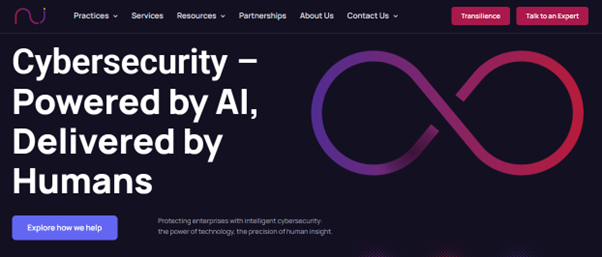
Network Intelligence for cybersecurity
Network Intelligence is not a like-for-like Proofpoint clone, and does not primarily compete as a secure email gateway vendor.
It belongs in this list because many organizations evaluating Proofpoint alternatives are not only trying to change how email gets filtered.
Email security tools generate alerts and policy controls, but they do not automatically solve the operational work that follows. All of which include: vulnerability backlog, audit readiness, and fragmented risk visibility.
Through its Transilience AI platform, Network Intelligence helps organizations automate compliance monitoring, prioritize real security risks, and continuously validate their security posture against regulatory frameworks.
It also combines this technology with expert-led consulting and managed security services, helping organizations run security programs more effectively without needing large in-house teams.
Features
- Managed detection, compliance, and security advisory services that help organizations operate controls continuously rather than only deploy them once.
- Vulnerability prioritization through Transilience AI to analyze security findings and identify which vulnerabilities could realistically expose critical services such as email systems.
- Managed risk compliance workflows that automate evidence gathering to help organizations demonstrate that controls protecting sensitive communications and email data remain compliant.
- Zero trust and access architecture support covering areas such as secure remote access, privileged access management, and policy enforcement.
- Human-in-the-loop operating model, where automation is paired with validation and service support rather than left as an unattended black box.
- Broader cloud and exposure-management coverage that can complement email security products instead of pretending to replace every one of them.
Pros
- Useful when the real problem is not email filtering alone, but backlog, prioritization, compliance fatigue, and response overhead.
- Combines platform automation with service delivery, which can help teams that do not want to build a large internal security operations function.
- Has measurable case-study proof around reducing manual work, false positives, and audit effort.
Cons
- Not a direct secure email gateway replacement, so most security teams may still need a dedicated email protection layer.
- Services-led models can feel less straightforward to compare against pure software licensing.
Best for
Best for organizations that automate cybersecurity operations and when the conversation is part of a bigger modernization effort across compliance, detection, and response.
Pricing
Buyers should expect proposal-based pricing tied to services, workflows, and platform scope.
2. Cisco Systems

Cisco Systems for email protection (Source: Cisco)
Cisco Secure Email Threat Defense offers pre-delivery threat protection, cloud-scale inspection, and continuous analysis of messages entering and leaving mailboxes. That makes it an option for enterprises that seek platform alignment and want email security to sit inside a larger architecture.
Features
- Cloud-scale, AI-driven gateway protection designed to stop threats before they reach the mailbox.
- Protection against phishing, business email compromise, and account takeover with continuous analysis of inbound and outbound mail.
- Remediation that remains active even after delivery, which matters when malicious signals are recognized later.
- Integration potential with Cisco’s wider extended detection and response approach.
- Deployment flexibility across cloud-focused and broader enterprise environments.
- Compliance-oriented messaging and policy support for organizations that want email tied into formal governance and control processes.
Pros
- Strong fit in Cisco-heavy environments where stack alignment matters.
- Works flexibly across on-premise, virtual, and cloud environments, including smooth Office 365 integration.
- Flexible licensing and per-user subscription structure are clearer than some older appliance-era pricing models.
Cons
- Can still be expensive relative to simpler alternatives
- Buyers may inherit broader Cisco complexity if they are not already invested in the ecosystem.
One thing to watch out for, given a Gratner Peer review by an IT security practitioner, is that the documentation may not be satisfactory. But the clean UI and quick support assistance are a plus.
Alt text/Caption: IT professional seemed happy with the ease of use of Cisco for email security, but claimed that the provided documentation was not accessible (Source: Gartner Peer Insights)
Best for
Best for enterprises already standardizing around Cisco’s networking or that want email protection to participate in a larger platform strategy.
Pricing
Cisco Secure Email Threat Defense uses per-user pricing and offers subscription tiers for 1-, 3-, and 5-year terms. Full public price visibility remains limited and typically depends on subscription level and environment.
3. Check Point
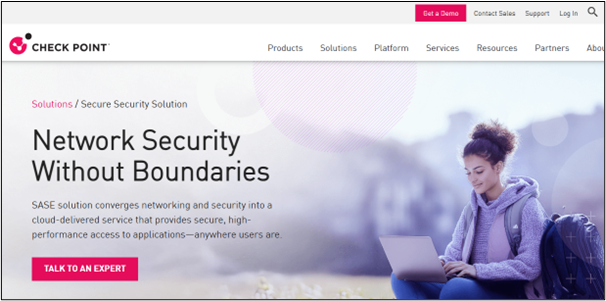
Checkpoint email and collaboration protection (Source: Cisco)
Check Point is one of the more credible modern alternatives for organizations that want strong phishing defense.
Its Harmony Email and Collaboration product is especially relevant for buyers whose environment now stretches across Teams, Slack, file-sharing (Dropbox, ShareFile), and cloud collaboration surfaces.
This gives Check Point a different shape from Proofpoint. Proofpoint remains more deeply associated with classic enterprise email security depth, while Check Point increasingly appeals to teams looking for a cloud-native and application-aware layer.
Features
- Inspection of every message for malware, phishing indicators, and data loss prevention signals.
- Coverage for collaboration tools, including Microsoft Teams and Slack, not only email.
- Protection for inbound, outbound, and internal phishing scenarios in Microsoft 365 and Google Workspace environments.
- Malicious URL protection and cloud-native inspection architecture without requiring heavy extra infrastructure.
- Centralized dashboarding and real-time threat detection are called out positively by reviewers.
- Content Disarm and Reconstruct (CDR) and single agents for EPP, EDR, VPN, NGAV and data protection.
Pros
- Takes advantage of over 90 threat prevention engines to protect the end user
- Robust spam filtering capability and real-time threat detection.
- Cloud-native pricing and delivery are attractive for teams avoiding added infrastructure.
Cons
- Not every organization would need the collaboration-security breadth, especially if they are solving a narrower gateway problem.
- Presence of high resource usage that can cause performance issues, especially during scans and updates.
Harmony provides a complete email security setup, but there may be concerns over the effectiveness of technical support for some user policies, according to an Azure consultant on G2 below –
Alt text/Caption: Azure consultant liked the ease of use and interaction within Check Point products, but expressed concerns about its third-party integration and support inadequacies (Source: G2)
Best for
Best for organizations that want modern cloud email and collaboration protection, especially in Microsoft-centric environments.
Pricing
Check Point markets Harmony Email and Collaboration as an all-in-one cloud-native platform, but most real deals remain quote-based.
Pricing estimates from Trustpilot for Harmony SASE vary by package and term at:
-
- Essentials: $10/month/user
- Premium: $15/month/user
- Premium Plus: $20/month/user
- Enterprise: Custom
Sources put the Harmony Endpoint offering at around $42/device/year.
4. Barracuda
Barracuda Networks for email threat protection (Source: Barracuda)
Barracuda is not always the product that wins on maximum sophistication, but it often enters the conversation when the need is approachable, effective, and easier to run.
Barracuda Email Protection offers an AI-driven security suite that defends against all 13 email threat types, including phishing, malware, ransomware, and account takeovers.
It offers cloud-based, API-integrated, and gateway solutions (e.g., Barracuda Email Security Gateway) for M365 with impersonation protection, incident response, and email archiving.
Features
- Spam, malware, and advanced threat protection using spam scoring, virus scanning, reputation checks, real-time intent analysis, and link protection.
- Barracuda Cloud Archiving Service with advanced Boolean search strategies for email audit requests.
- Unified email protection positioning that combines secure email, threat response, and Microsoft 365 data protection into a single offering.
- DKIM/SPF configuration and troubleshooting issues associated with domain alignment.
- URL and file scanning for socially engineered and malware-based attacks.
- Account takeover and impersonation protection across cloud email environments.
- Barracuda AI engine for scanning email threats for Microsoft 365 to generate risk reports to see which attacks are being evaded by existing systems.
Pros
- Strong ease-of-use for administrators and end users
- Often perceived as more affordable than Proofpoint in user reviews.
- Good fit for lean teams that want effective filtering without a large specialist bench.
Cons
- Email filtering issues with legitimate mail being flagged or needing extra management.
- Configuration is difficult and heavily reliant on support for setup and management.
We found some users show satisfaction with Baracuda’s wide network of integration options, but expressed concerns over the number of false positives recorded.
See what this IT administrator had to say about Barracuda Email Protection on G2 below:
Alt text/Caption: User Ethan, IT admin, expressed concerns over inconsistent threat flagging and being able to properly manage false positives (Source: G2)
The same theme recurred with another user on Reddit about false positive frequencies, as well as other things like blocking emails from whitelists.
Alt text/Caption: Barracuda user, Raidercane, expressed concerns over false positives and whitelisted emails being blocked (Source: Reddit via r/sysadmin)
Best for
Best for small to mid-sized organizations, managed service providers, and enterprise teams that value simpler day-to-day operation, and even for non-technical users and “multi-hat” admins.
Pricing
Barracuda does not provide broad public list pricing for all tiers – Advanced, Premium, and Premium Plus, as it is quote-based.
5. Forcepoint

Forcepoint Email Security (Source: Forcepoint)
Forcepoint Email Security is a good Proofpoint alternative if the center of gravity is data protection, insider risk, and policy enforcement, rather than only inbound email filtering.
This makes Forcepoint especially relevant in regulated industries or sensitive data environments.
A company that is replacing Proofpoint for a tighter bond between email, data policy, and insider-risk control may find Forcepoint more aligned with its priorities.
Features
- Unified inbound threat detection and outbound data protection in the same email-security approach.
- Behavioral detection, sandboxing, and spoofing protection to stop phishing, malware, and business email compromise.
- Email data loss prevention that applies granular policy to messages, attachments, and recipients.
- Consistent data security policy across web, cloud, endpoint, and email through the wider Forcepoint platform.
- Cloud, hybrid, and on-premises deployment options.
- Risk-adaptive protection tied to user behavior and data sensitivity.
Pros
- Reliable support assistance for setup and implementation
- Easy user interface and broad policy consistency across channels.
- Flexible deployment model for organizations with mixed infrastructure.
Cons
- Steep learning curve, especially during policy setup and adjustments, for first-timers.
- Search functionality is limited by a lack of flexible keywords or wildcard options, which can make message tracing complex.
Users seem to like the ease of implementation of Forcepoint Email Security in on-prem and cloud environments.
However, we found some concerns over a drawback associated with each query in on-prem environments, as seen below in this user review on Gartner:
Alt text/Caption: Forcepoint Email Security user said the upside of the platform includes its ease of implementation nd integration features, but had concerns with its search functions (Source: Gartner Peer Insight)
Best for
Best for organizations where sensitive data movement matters as much as inbound phishing and spam filtering. Forcepoint is often a stronger strategic fit when the email problem is inseparable from the data protection problem.
Pricing
Forcepoint pricing is quote-based. Reseller pages show subscription licensing by user, but they do not provide a complete picture of what enterprise deployments cost once policy, support, and scope are included.
6. Fortinet
Fortinet Email Security (Source: Forcepoint)
Fortinet may not be the most direct Proofpoint alternative, but it deserves inclusion.
FortiMail Email and Workspace Security make sense for organizations that prefer an AI-driven and integrated security architecture over best-of-breed email specialization.
FortiMail has the same market identity in email security depth as Proofpoint. It is usually chosen as a reliable legacy option as a result of its extensive capability and tested reputation.
Features
- Real-time visibility into emerging threats and pre-delivery blocking of suspicious or malicious sources.
- Integration with FortiGuard and the wider Fortinet Security Fabric for layered protection.
- Anti-spam, anti-malware, outbreak protection, sandbox analysis, and content disarm and reconstruction.
- Business email compromise and impersonation defense.
- Flexible deployment across hardware and virtual models.
- Reporting that helps teams monitor performance and threat trends over time.
Pros
- Strong fit inside existing Fortinet estates with easy integration.
- Broad deployment flexibility and potentially attractive total cost in certain infrastructure-led environments.
- Thorough email protection guards against various cyber threats.
Cons
- Public pricing references skew toward hardware and virtual appliance licensing, making comparisons harder.
- Outdated interface is challenging and impacts usability despite its robust features.
We found that there is a lot of value placed on FortiMail for its thorough email protection. But users find the platform’s setup challenging, especially if they lack experience with email flow or the CLI.
Which is exactly what Nalleli Itzel, a network security engineer, shared on their usage of FortiMail:
Alt text/Caption: FortiMail user praised its strong email threat protection and integrations, but noted initial setup complexity and a dated interface (Source: G2)
Best for
Best for organizations already invested in Fortinet and looking to keep email security aligned with the rest of the network and security architecture.
Pricing
Fortinet pricing varies substantially by hardware, virtual machine size, and bundle. Public reseller listings show that FortiMail deployments can range from a few thousand dollars for small virtual instances to six figures for enterprise hardware bundles.
- A FortiMail VM01 virtual appliance license for smaller deployments is listed at around €4,230 ($4,800) by resellers.
- A larger FortiMail VM08 enterprise virtual deployment is listed at around €27,000 ($31,000).
- High-capacity virtual configurations, such as FortiMail VM16, can cost up to €38,800 ($44,000).
- Hardware bundles for enterprise environments can exceed €102,000 ($117,000) depending on throughput capacity and subscription term.
Cloud licensing also exists for mailbox-based deployments, with reseller listings showing roughly $30–$70 per mailbox for multi-year subscriptions.
7. Sophos Mail
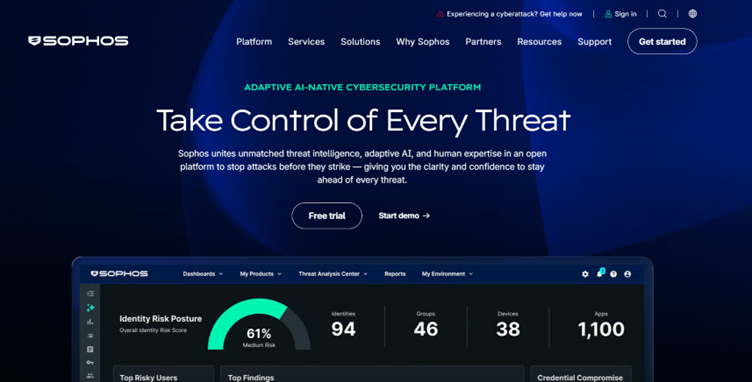
Sophos Email for protecting email communications (Source: Sophos)
Sophos is one of the more pragmatic alternatives on this list. Its appeal usually comes from simplicity, cloud delivery, and the sense that a mid-sized team can live with it without building a mini-specialist function around email.
Sophos Email offers solutions to defend against phishing and BEC attacks, and provides visibility and control to Sophos MDR and Sophos XDR. With a multi-layered architecture of over 20 AI/ML models, including LLMs, to identify threats and secure inboxes.
Features
- All-in-one email protection covering filtering, advanced threat protection, continuity, information protection, and integrations.
- Natural-language-processing-based phishing and business email compromise protection.
- Policy-based email security management through Sophos Central.
- Secure delivery of messages against increasingly sophisticated email spoofing using Sophos DMARC authentication protocols.
- Microsoft 365 application programming interface integration and transparent encryption in the pricing materials.
- Post-delivery clawback support for messages that are later judged malicious.
- Cloud-managed delivery through Sophos Central rather than heavy local infrastructure.
Pros
- Ease of use of Sophos Email from its user-friendly interface.
- Reliable spam and phishing protection for efficient email security management.
- Set up is smooth and easy to get implementation up and running.
Cons
- Less associated with top-end enterprise email specialization than Proofpoint.
- Organizations that need very fine-grained policy granularity may still prefer heavier platforms.
This user is happy with the accuracy of Sophos Email phishing protection and easy policies, but has concerns with delayed communication and support for priority organizations.
Alt text/Caption: Sophos Email user highlighted strong phishing and easy deployment, but expressed issues with delay in communications from the team (Source: Gartner Peer Insights)
Best for
Best for mid-market teams, cloud-first organizations that want capable phishing and email protection without inheriting a high-maintenance administration model.
Pricing
Sophos licensing is based on the number of users and protected shared mailboxes, and its cloud model emphasizes simple pricing with no upfront infrastructure costs. Mailbox aliases, distribution lists, and public folders are not counted.
8. Mimecast
Mimecast Email and Collaboration protection (Source: Mimecast)
Mimecast Advanced Email Security is the most direct and historically familiar Proofpoint alternative in this list.
This is because the overlap is obvious: phishing and malware defense, continuity, archiving, human risk management, and a long market presence in enterprise email protection.
Mimecast appeals to teams that want category specialization and broad email-focused coverage, but practitioner sentiment shows the tradeoff is not always cost reduction or simplicity.
In some comparisons, it is described as easier to manage. In others, it is described as expensive or support-heavy in its own way.
Features
- Advanced email security with protection against phishing, malware, ransomware, impersonation, and spear-phishing attacks.
- Unusual patterns and behavioral detection with social graphing to bolster defenses against social engineering attacks.
- Data protection and leakage control as part of a broader email security platform.
- Complementary solutions like Continuity, DMARC, Security Awareness Training, and Archiving to simplify management and control costs.
- On-click protection and computer vision to detect branding and login-page impersonation.
- Service-level commitments around anti-spam, anti-malware, and availability in its security messaging.
Pros
- User-friendly functionality, robust security features
- Broad email and human-risk portfolio beyond basic filtering.
- Integration with commonly used tech stack (Netskope, Palo Alto Networks, and CrowdStrike)
Cons
- Interface and administrator experience are not universally seen as simple, especially for newer administrators.
- Ineffective detection, as some genuine emails are often marked as threats, disrupting workflows.
We found a balanced review from a user who values the platform’s security features, particularly its integrations and effectiveness at detecting impersonation attacks.
However, they found the rollout process challenging and noted usability issues with complex rule configuration, slow admin interface, and inconsistent mailbox remediation..
Best for
Best for organizations that want a direct, mature, email-security-first alternative to Proofpoint without changing the conversation.
Pricing
Mimecast pricing is generally quote-based. But, individual reviews mention notable year-over-year cost increases, which is one reason Mimecast does not automatically solve the affordability question for Proofpoint buyers.
Why choose Network Intelligence over the rest?
Proofpoint, Mimecast, Barracuda, Sophos, Check Point, Cisco, Fortinet, and Forcepoint all help solve different versions of the email and messaging security problem.
What they do not all solve equally well is the work that starts after alerts appear, and compliance obligations accumulate while your security teams are asked to prove outcomes with limited headcount.
That is Network Intelligence’s advantage. Its value is demonstrated through measurable operational outcomes in real deployments.
For example, in an SOC 2 compliance automation implementation, we helped a company achieve fully automated certification two months ahead of schedule, with continuous 24/7 monitoring.
Across Network Intelligence’s outcome-driven security implementations, it has reported up to:
- 90% automated threat triage.
- 80% reductions in false positives.
- 60% less audit preparation effort.
- 4-minute mean time to response.
If your priority is a straightforward Proofpoint substitute, start with the email-first names on this list.
If the challenge is the inability to keep security running smoothly at scale, Network Intelligence is the option that changes how the program runs without replacing your existing tech.
Talk to Network Intelligence’s experts if you want to evaluate a broader security operating model alongside your email-security shortlist.